> For the complete documentation index, see [llms.txt](https://ajudaerp.sfhera.com.br/llms.txt). Markdown versions of documentation pages are available by appending `.md` to page URLs; this page is available as [Markdown](https://ajudaerp.sfhera.com.br/equipamentos/balanca-elgin-dp30-t.md).
# Balança Elgin DP30-T
Para efetuar a instalação da balança Elgin DP30-T siga os passos abaixo.
ACESSANDO O MENU DE CONFIGURAÇÃO
Para acessar o menu de configuração da balança basta seguir o procedimento a seguir.
Para acessar o menu de configuração da balança basta seguir o procedimento a seguir.
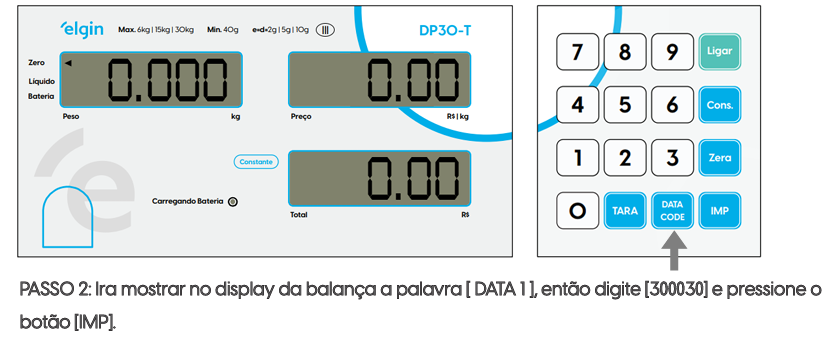
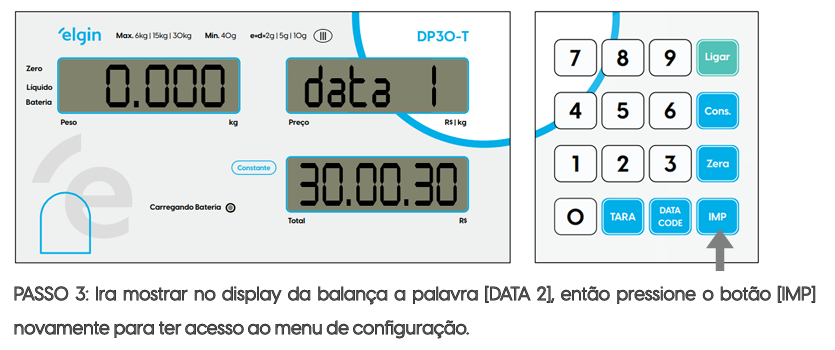
PASSO 1: Com o display da balança em zero, pressione o botão \[DATA COD].
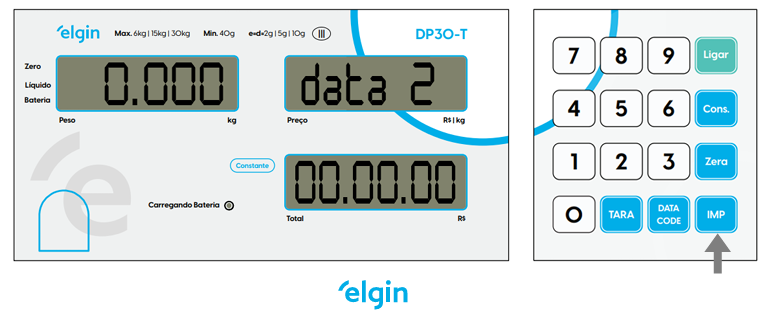
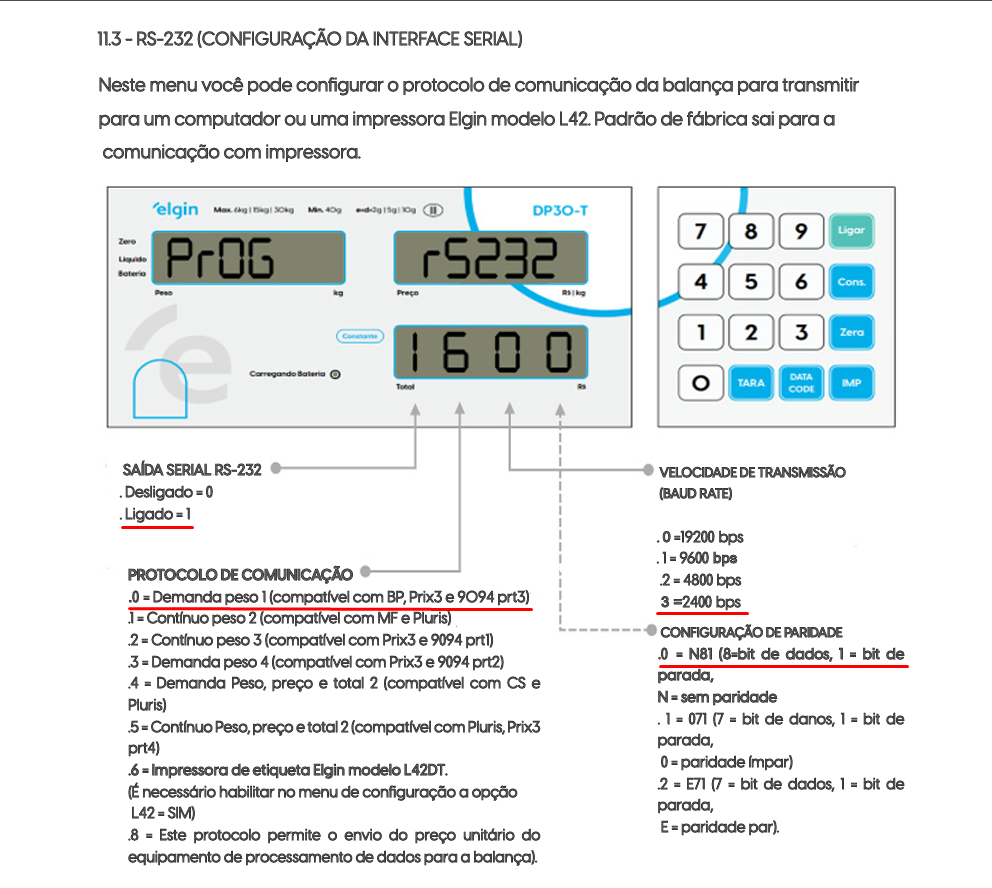
Pressione o botão \[IMP] para passar pela configuração até chegar RS-232 Interface Serial.
* Na configuração da Interface serial tem que ficar **1030**